
API tokens
A session comes from a person signing in, and ends once it has gone thirty days unused. That is wrong for a CI pipeline, so organisations can mint tokens instead.
Minting one
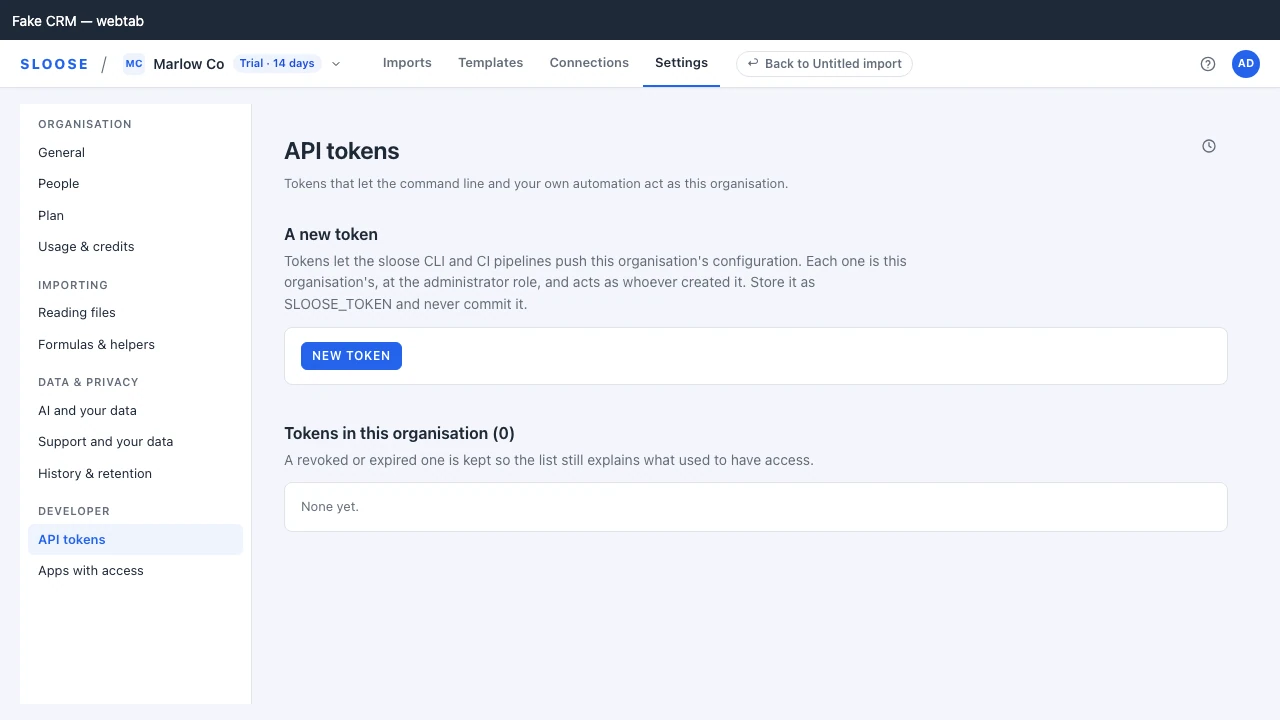
Section titled “Minting one”An administrator, signed in, creates a token under Settings → API tokens: New token, then a name and an expiry (Never, 30 days, 90 days or a year), then Create token.
The secret is shown once. The server keeps only a hash of it, so a token that is lost is replaced, not recovered. Copy it into your secret store before you leave the page.
Give it a name that says where it is used — CI — config push, nightly sync — because in six
months the token list is the only record of what is holding each one.
What a token can do
Section titled “What a token can do”- Act on one organisation, as the member who created it, with the admin role — or theirs, if it is lower. An owner’s token is an admin: owner-only actions need an owner signed in.
- Reach every organisation route a session of that role can, except the session-only ones below. The backoffice is never a token’s, whoever made it: a staff member’s own token is refused there.
- Use the organisation’s connections, naming one on every request that touches one (below).
- Live indefinitely, unless you gave it an expiry.
Send it exactly like a session:
Authorization: Bearer slo_…GET /auth/me reports via: "token", so a client can tell which kind of bearer it is holding.
What a token cannot do
Section titled “What a token cannot do”Some routes are session only and refuse a token with 403 SESSION_REQUIRED: everything about
a person — signing in, your account, accepting an invitation — and a set of organisation routes, each for
its own reason. Authentication lists
the main ones, and every one is marked Session only in the API reference. Together they are what keeps a
leaked token contained, and three groups do most of it.
The credential cannot look after itself:
| Route | Why |
|---|---|
| Mint a token | A leaked token must not be able to make more. |
| Revoke a token | Nor destroy the ones that would catch it. |
| Refresh a session | A token that could refresh itself would never expire. |
Nor can it let anybody in. Making an invitation and approving a request for access are session only too, so whoever holds a leaked token cannot invite an account of their own and keep a way in after the token is revoked.
Nor can it manage the organisation. Changing somebody’s role or taking them out, connecting, renaming, unlisting or disconnecting a connection, and everything on Plan and Usage & credits that changes something — a checkout, the customer portal, overage, the trial, acknowledging a notice — take a person, signed in. A token still reads all of it: the members, the connections with their modules and fields, the billing summary and the plans. And it still does the organisation’s configuration and its imports, which is what the SDK and the MCP tools need.
So a token that gets out can do no more than its role allows — an admin’s work at most, and never more than its creator may do today (below) — cannot entrench itself or open another door, and cannot touch anybody who outranks it, so an owner can always revoke it.
It also cannot reach another organisation. Every /orgs/{org}/… route checks that the organisation in the path is
the organisation the token was issued for, whatever the role.
Revoking
Section titled “Revoking”Revocation takes effect on the token’s next request, which then answers 401 TOKEN_REVOKED — a
distinct code from a merely wrong token, so a pipeline can log something useful.
The row stays in the list, marked revoked, so the history of what existed remains auditable.
The token list
Section titled “The token list”The same page lists everything the organisation has issued, revoked ones included: who created it, the prefix, when it was created, when it was last used, its expiry and whether it has been revoked. Never the secret.
Who created it is not decoration. A token acts as the member who created it, at the lower of
its own role and theirs today: every request checks that its creator is still in the organisation, and what
they may do now. So it stops working when they are removed (401 MEMBERSHIP_GONE), does only an
operator’s work once they are made an operator, and works again if they are invited back — at the
lower of its own role and the one they come back with. A pipeline that must outlive its author should use a token minted by somebody who
is staying — and a token nobody needs any more is still revoked explicitly, because removing a
person is not how you retire a credential.
Last used is the field to look at when tidying up. A token nobody has used in four months is either dead or doing something nobody remembers, and both are worth resolving.
Using one in CI
Section titled “Using one in CI”Put it in your CI provider’s secret store and read it from the environment:
env: SLOOSE_TOKEN: ${{ secrets.SLOOSE_TOKEN }} SLOOSE_ORG: ${{ vars.SLOOSE_ORG }} # the org's id SLOOSE_CONNECTION: ${{ vars.SLOOSE_CONNECTION }} # the id of the connection this pipeline pushes tosloose push --env production --org "$SLOOSE_ORG"A token names its connection on every request that touches one, even in an organisation that holds
only one: nothing picks a connection for a request that does not say, so a second connection
added later changes nothing for a pipeline already running. A request that names none is refused
with 400 CONNECTION_REQUIRED, listing the connections the token may name.
Two things not to do:
- Do not commit it, even to a private repository. Sloose cannot see that you have; your secret
scanner might, since every token starts
slo_. - Do not share one token across pipelines. One token per job means revoking one does not stop the others, and last used tells you something.
Expiry
Section titled “Expiry”An expiry is optional and cannot be in the past — that is refused with EXPIRY_IN_PAST rather than
creating a token that is dead on arrival.
An expired token answers 401 TOKEN_EXPIRED, again distinct from wrong-and-unknown, so the failure
says what to do about it.
Setting one is good practice for anything short-lived — a migration, a contractor’s script — and usually more trouble than it is worth for a long-running pipeline, where an unnoticed expiry is just an outage.
From code
Section titled “From code”@sloose/api-client (not on npm yet; see TypeScript client) takes a token like any other bearer:
const sloose = createClient({ token: process.env.SLOOSE_TOKEN!, environment: 'production' });See the TypeScript client and Authentication.